> ## Documentation Index
> Fetch the complete documentation index at: https://docs.chargeblast.com/llms.txt
> Use this file to discover all available pages before exploring further.
# Tracker Snippet
There are three paths to enriching charge data and making your transactions compelling evidence eligible:
1. Implement the [Upload Orders](/api-reference/sync-data/upload-orders) endpoint with IP data included
2. Use the [Track](/api-reference/sync-data/track) endpoint to upload IP data separately
3. Integrate this JavaScript snippet for automatic IP capture on web
This guide will help you implement the Chargeblast tracker snippet on your website.
## Quick Start
Add this snippet to your website's `` section. Your `account_id` starts with "acct\_" and can be found under the [settings tab](https://app.chargeblast.com/settings) here.
```html theme={null}
```
Then make an API call somewhere to identify a user:
```javascript theme={null}
Chargeblast.identify("hello@chargeblast.com")
```
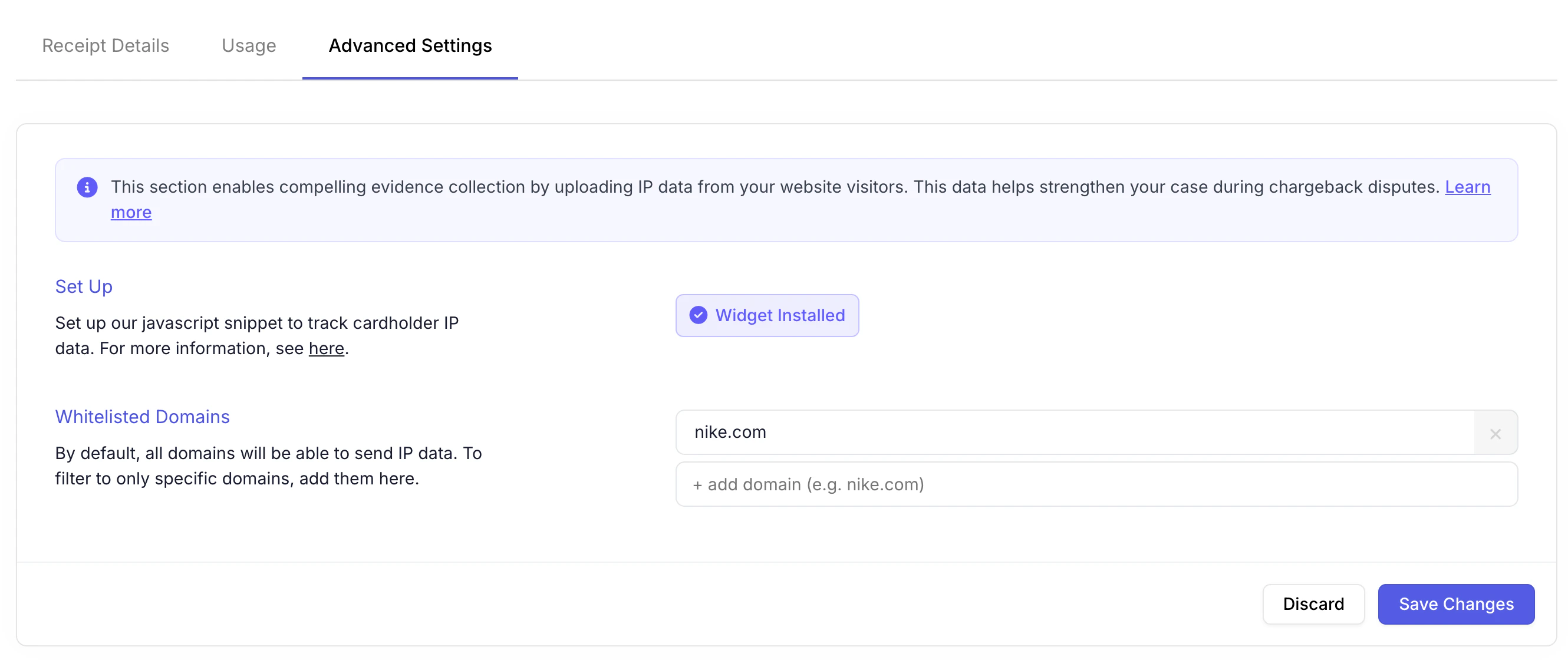
## Confirming It Worked
Once your code is live, you will see the widget is installed successfully. You can verify the installation under the [digital receipts tab](https://app.chargeblast.com/clarity)