
Overview
You are able to set up custom responses for RDR via API. This is intended only to be used by marketplace platforms that require sub-account level RDR responses.If your endpoint goes down or fails to respond, alerts cannot be retried and
you may receive chargebacks. To avoid this, please make sure your
implementation is reliable. If your endpoint is unresponsive or times out, the
RDR will turn into a chargeback.
Endpoint Requirements
HTTP Method: POSTHeader:
X-API-Key (Your unique API key)
Your endpoint should accept a POST request with the API key included in the header:
https://your-domain.com/your-endpoint
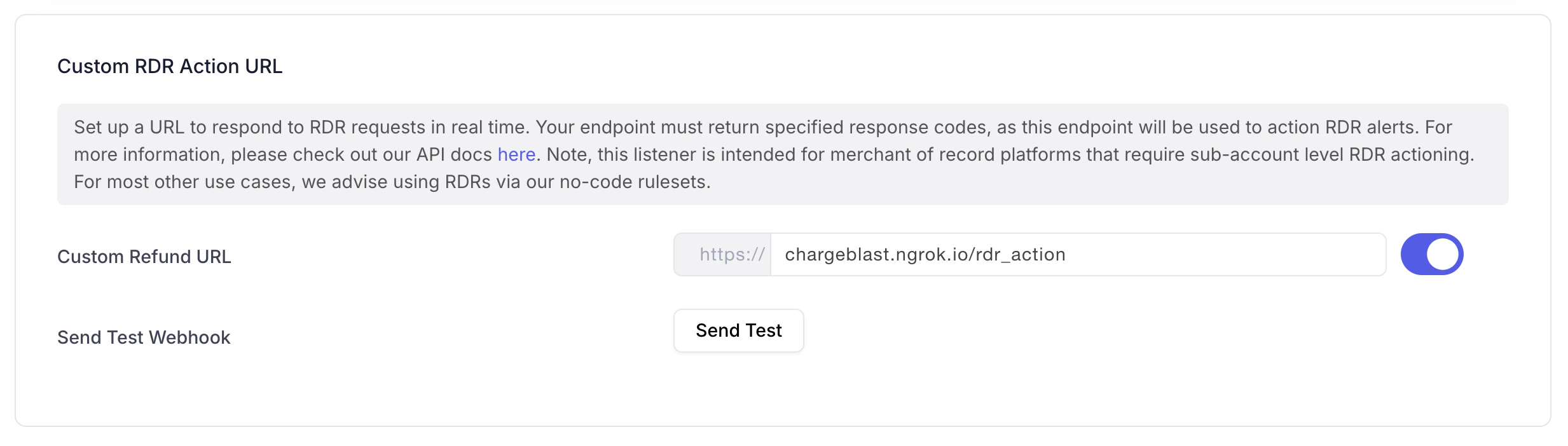
You can set this URL in your account under developer settings:
Request Body
The request body will include the necessary details for determining how to action the RDR alert. Note your endpoint need ony return an accepted/declined response - no refund is actually performed within your implementation. Refunds for RDR are performed directly via Visa in realtime based on your response. Your endpoint must respond in 1.5 seconds. Here’s an example request body:Response
Your endpoint must return a response that conforms to the following payload:- Resolved - the RDR alert should be accepted - i.e. refunded by Visa.
- Declined - the RDR alert should be rejected - i.e. turn into a chargeback.
See the full list of available reason codes and their descriptions in the Reason Codes Reference.
Once you have implemented this endpoint, please reach out to your account
manager to migrate RDR decisioning logic to API. This will take 1-2 business
days.